Resumo: Esta ficha de referência sobre XPath abrange a sintaxe, os predicados, os eixos e as funções de que realmente precisa para a extração de dados da Web, além de uma tabela de conversão de CSS para XPath e exemplos executáveis em Puppeteer e Scrapy. Use-a como referência sempre que um seletor CSS deixar de funcionar num site de que depende.
Introdução
Chegaste aqui porque um seletor deixou de funcionar, um layout mudou ou alguém da tua equipa te disse para «simplesmente usares o XPath» e queres ter tudo numa única página. É compreensível. Esta ficha de referência do XPath foi criada exatamente para esse momento: um programador de scrapers a meio de um projeto que precisa de sintaxe, exemplos e algumas regras de resiliência sem ter de percorrer um tutorial.
XPath, abreviatura de XML Path Language, é uma linguagem de consulta que utiliza expressões do tipo caminho para navegar em documentos XML e semelhantes a XML, incluindo HTML. Num contexto de scraping, isso dá-lhe algo que os seletores CSS não conseguem: a capacidade de subir na árvore, corresponder por texto visível e encadear condições como uma pequena lógica de predicados. Iremos abordar a sintaxe principal, os predicados, os eixos, as funções mais úteis, os testes no lado do navegador, uma tabela de conversão de CSS para XPath e dois exemplos práticos curtos em Puppeteer e Scrapy que pode incorporar num projeto ainda hoje. No final, deverá ser capaz de ler um fragmento de HTML, escrever um seletor que resista a pequenas alterações no DOM e verificá-lo antes de o lançar.
O que é o XPath e por que é importante para a extração de dados da web
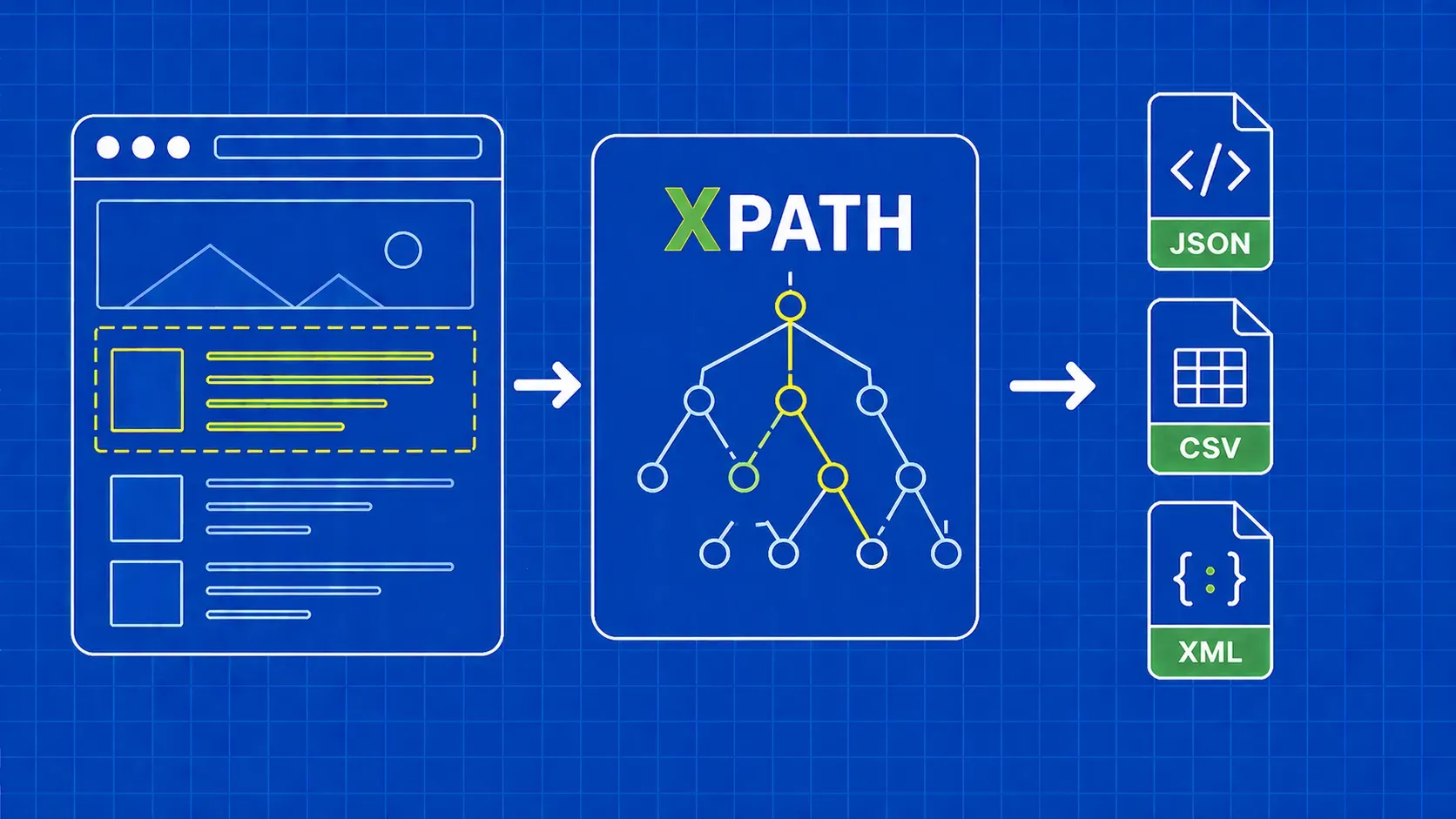
O XPath é a XML Path Language: uma sintaxe de consulta que percorre a árvore do documento utilizando expressões do tipo caminho para identificar nós. Os navegadores expõem o DOM HTML como uma árvore semelhante a XML, razão pela qual o XPath funciona para web scraping, mesmo que o HTML não seja XML estrito. É um elemento central da norma XSLT e está presente em ferramentas XML e na maioria das pilhas de scraping.
Então, por que razão os programadores de scrapers recorrem a ele? Três razões. Primeiro, o XPath pode mover-se tanto para cima como para baixo na árvore, enquanto os seletores CSS apenas se movem para baixo e lateralmente. Segundo, pode corresponder nós pelo seu texto visível, o que é inestimável quando as classes são aleatórias, mas os rótulos são estáveis. Terceiro, permite encadear condições numa única expressão. Esta ficha de referência do XPath abrange todas as primitivas de que precisa para utilizar essas capacidades em produção.
Como o XPath interpreta uma página: caminhos, nós e passos
Uma expressão XPath é um caminho composto por passos. Cada passo tem um eixo (em que direção procurar), um teste de nó (que tipo de nó corresponder) e zero ou mais predicados (filtros entre parênteses retos). Na maioria das vezes, o eixo é implícito porque child:: é o padrão, razão pela qual formas abreviadas como //div/span funcionam.
Considere //div[@class='quote']/span[1]. O // é uma abreviatura do descendant-or-self:: eixo, pelo que isto se lê como: encontrar qualquer div cujo class atributo seja igual a quote, e, em seguida, considere o primeiro span filho. Existem três tipos de nós que lhe interessam: nós de elemento (div, span), nós de atributo (@class, @href) e nós de texto acessados via text(). Os predicados utilizam indexação a partir de 1, pelo que [1] é a primeira correspondência, não a segunda.
Teste expressões XPath diretamente no seu navegador
Antes de escrever uma única linha de código de scraper, certifique-se de que a expressão funciona no navegador. Dois fluxos de trabalho abrangem a camada de testes da ficha de referência.
Ctrl+F (Cmd+F) no painel Elementos. Abra o DevTools no Chrome ou no Firefox, clique no separador Elementos e, em seguida, prima Ctrl+F ou Cmd+F. A barra de pesquisa aceita seletores CSS e expressões XPath, e a página destaca todas as correspondências na árvore DOM juntamente com uma contagem do tipo «3 de 12». Esta é a forma mais rápida de testar a seletividade.
O $x() auxiliar da consola. Mude para o separador Consola e execute $x("//div[@class='quote']"). O auxiliar devolve as correspondências como uma matriz JavaScript, pelo que pode aprofundar a análise com $x("//a/@href").length. De acordo com a documentação atual dos fornecedores, $x() vem incluído nas DevTools baseadas no Chromium e nas DevTools do Firefox, embora deva verificar se funciona na versão do navegador de destino. Como referiu um artigo de engenharia, este é «um excelente exercício para testar as suas expressões antes de perder tempo no editor de código e sem sobrecarregar o servidor do site».
Para uma referência mais aprofundada sobre a própria linguagem, a documentação do MDN sobre XPath é o ponto de partida mais fiável.
XPath vs. seletores CSS: um quadro de decisão rápido
Os seletores CSS são geralmente mais curtos e fáceis de ler, razão pela qual muitos programadores consideram o CSS o padrão e recorrem ao XPath apenas quando o CSS não consegue expressar a consulta. Essa abordagem é uma opinião, não uma referência, mas reflete a forma como a maioria das bases de código em produção evolui. A regra honesta é: escolha o seletor mais simples que resista a uma pequena alteração no DOM.
Use esta tabela como desempate na nossa discussão sobre XPath vs. seletores CSS:
|
Situação |
Escolha |
|---|---|
|
Estável |
CSS |
|
Necessidade de percorrer até um pai ou antepassado |
XPath |
|
Correspondência por conteúdo de texto visível |
XPath |
|
|
De qualquer forma, o CSS é mais curto |
|
Várias condições num único elemento |
XPath (cadeias de predicados) |
|
Línea única rápida para uma estrutura conhecida |
CSS |
|
Marcação profundamente aninhada ou irregular |
XPath |
Os seletores CSS não têm uma parent:: direção e não podem filtrar por texto, pelo que qualquer padrão do tipo «clicar na linha que contém 'Ativo'» é, naturalmente, território do XPath.
Folha de referência do XPath básico: noções essenciais de sintaxe
Estes são os blocos de construção sobre os quais todas as outras secções desta ficha de referência do XPath se baseiam. Uma expressão XPath tem, no mínimo, um nome de tag, opcionalmente um atributo e, opcionalmente, um valor para esse atributo. Os predicados e as funções são sobrepostos.
|
Símbolo |
Significado |
Exemplo |
Lê-se como |
|---|---|---|---|
|
|
Selecionar a partir do nó raiz |
|
O |
|
|
Abreviação de descendente ou próprio |
|
Qualquer |
|
|
Nó atual |
|
Um |
|
|
Pai do nó atual |
|
O elemento pai de qualquer |
|
|
Seletor de atributos |
|
O |
|
|
Qualquer nó de elemento |
|
Qualquer elemento filho de qualquer |
|
|
Etiqueta filtrada por igualdade de atributos |
|
Todos os |
|
`expr1 \ |
expr2` |
União de duas expressões |
`//h1 \ |
//h2` |
Todas |
Um modelo mental útil: / ancora-o em algum lugar, o nome da tag nomeia o passo, o predicado filtra o passo. A sintaxe XPath mais resiliente em scrapers reais é uma cadeia de predicados de atributos separados por /, não um caminho posicional a partir da raiz.
Predicados: filtragem por índice, atributo e condição
Os predicados são as condições entre parênteses que transformam uma etapa genérica numa etapa precisa. Podem ser encadeados e são avaliados da esquerda para a direita. Lembre-se de que os predicados XPath são baseados em 1, portanto //li[3] é o terceiro li, não o quarto.
Padrões comuns que irá reutilizar:
|
Predicado |
O que faz |
|---|---|
|
|
O n-ésimo elemento correspondente. |
|
|
A correspondência final. |
|
|
As três primeiras correspondências. |
|
|
Igualdade exata de atributos. |
|
|
Correspondência de substring num atributo. |
|
|
Correspondência de prefixo num atributo. |
|
|
Negar qualquer predicado. |
|
|
Várias condições num único elemento. |
Pode encadear predicados: //div[@class='quote'][position()<=5] apresenta as primeiras cinco citações. Para uma análise mais aprofundada da escolha, ao nível do tópico, entre cadeias de predicados e pseudoclasses CSS, consulte o nosso artigo complementar sobre seletores XPath vs CSS.
Eixos: percorrer para cima, para baixo e através do DOM
É aqui que o XPath ganha vantagem sobre o CSS. Um eixo indica a direção a seguir a partir do nó de contexto, e a forma explícita axis::node-test permite movimentos que o CSS não consegue fazer. Esta página da ficha de referência do XPath trata os eixos do XPath como uma secção de destaque, com uma utilização de scraping por linha.
|
Eixo |
O que devolve |
Exemplo de extração |
|---|---|---|
|
|
Filhos diretos (o eixo padrão) |
|
|
|
Todos os descendentes |
|
|
|
A |
|
|
|
O pai imediato |
|
|
|
Todos os antepassados até à raiz |
|
|
|
O mesmo, mais o próprio nó |
Útil quando a correspondência pode ser o wrapper ou um filho. |
|
|
Os irmãos após este nó |
|
|
|
Irmãos antes deste nó |
|
|
|
Atributos do nó ( |
|
|
|
O nó atual |
Usado em predicados: |
Os dois que irá utilizar constantemente são ancestor:: e following-sibling::. following:: e preceding:: e os eixos também existem, mas raramente são necessários.
Caracteres curinga e testes de nó
Os caracteres curinga flexibilizam o teste de nó numa etapa, o que é útil quando as tags diferem, mas a estrutura não.
|
Token |
Correspondências |
|---|---|
|
|
Qualquer nó de elemento. |
|
|
Qualquer nó de atributo. |
|
|
Qualquer nó, incluindo texto e comentários. |
|
|
Apenas nós de texto. |
|
|
Comentários HTML, ocasionalmente úteis para extração baseada em marcadores. |
A principal diferença: //div/* ignora texto e comentários, enquanto //div/node() os inclui. Opte por text() quando quiser especificamente cadeias de caracteres.
Funções XPath essenciais para a extração
As funções dentro dos predicados são a forma de lidar com HTML desorganizado do mundo real: espaços em branco indesejados, nomes de classes dinâmicos, incompatibilidades de maiúsculas e minúsculas e contagens. Estas funções XPath cobrem cerca de 95% dos casos de scraping.
Funções de cadeia de caracteres
|
Função |
Exemplo |
Caso de utilização |
|---|---|---|
|
|
|
Corresponder nomes de classes dinâmicos ou compostos. |
|
|
|
Filtrar links internos de produtos. |
|
|
|
Apenas XPath 2.0. No XPath 1.0, utilize |
|
|
|
Remova os espaços em branco à volta antes de comparar o texto. |
|
|
|
Converta para minúsculas para correspondência que não distingue maiúsculas de minúsculas. |
|
|
|
Extraia uma parte do valor de um atributo. |
Funções numéricas e de nós
|
Função |
Exemplo |
Caso de utilização |
|---|---|---|
|
|
|
Número de linhas numa página de resultados. |
|
|
|
Selecionar nós com índice par. |
|
|
|
O último item, independentemente do comprimento. |
|
|
|
Filtrar por tag dinamicamente. |
|
|
|
Ignorar entradas desativadas. |
Para saídas apenas de atributos, uma chamada no estilo de função como string(@href) garante que obtém o valor como uma string, e não o nó do atributo, o que é importante em alguns scrapers ao encadear para uma etapa de regex ou trim.
Tabela de tradução rápida de CSS para XPath
Se a sua equipa pensa em CSS porque veio do BeautifulSoup ou do Cheerio, esta tabela é uma ajuda rápida para a migração. Os equivalentes da folha de referência do XPath nem sempre são mais curtos, mas são sempre mais expressivos.
|
CSS |
XPath |
|---|---|
|
|
|
|
|
|
|
|
|
|
|
|
|
|
|
|
|
|
|
|
|
|
|
|
|
|
|
|
|
|
|
|
|
|
|
|
|
|
|
O concat(' ',normalize-space(@class),' ') padrão parece feio, mas é a forma mais segura de imitar a semântica das classes CSS no XPath, uma vez que o XPath 1.0 não tem um operador nativo de «token numa lista separada por espaços». Para um guia comparativo organizado por funcionalidades CSS, consulte a nossa Folha de Referência de Seletores CSS.
Exemplo prático: extrair dados com Puppeteer e Scrapy
Para provar que a mesma expressão funciona em diferentes pilhas, aqui estão dois pequenos scrapers que acedem a quotes.toscrape.com e extraem todas as citações e os seus autores. Confirmámos no DevTools que //div[@class='quote'] corresponde a cerca de dez citações na página inicial no momento da redação deste artigo, o que coincide com o que a página renderizada mostra.
Puppeteer (Node.js). Inicialize o projeto com npm init -y e npm install puppeteer, depois insira isto em index.js. Note que as versões recentes do Puppeteer passaram a utilizar APIs de localização, por isso confirme page.$x a versão na sua package.json.
import puppeteer from 'puppeteer';

const browser = await puppeteer.launch();
const page = await browser.newPage();
await page.goto('https://quotes.toscrape.com/');

const rows = await page.$x("//div[@class='quote']");
const out = [];
for (const row of rows) {
  const text = await row.$eval("span[@class='text']", el => el.textContent);
  const author = await row.$eval("small[@class='author']", el => el.textContent);
  out.push({ text, author });
}
console.log(out);
await browser.close();
Scrapy (Python). Dentro de um spider, response.xpath aceita as mesmas expressões e expõe .get() e .getall() para extração de valor único e múltiplo.
def parse(self, response):
    for q in response.xpath("//div[@class='quote']"):
        yield {
            "text": q.xpath(".//span[@class='text']/text()").get(),
            "author": q.xpath(".//small[@class='author']/text()").get(),
        }
De acordo com relatos da comunidade, o Cheerio e o Beautiful Soup não suportam o XPath diretamente, pelo que o Scrapy ou lxml é a combinação habitual em Python e o Puppeteer ou o Playwright é a combinação em JavaScript. Verifique as versões instaladas antes de padronizar qualquer uma delas. Para um guia completo do projeto, os nossos guias do Scrapy e do Puppeteer abordam a configuração, a programação e a ligação de proxies.
Dicas para escrever XPath resiliente em scrapers de produção
Cinco regras encerram a ficha de referência, aprendidas da maneira mais difícil com spiders que falharam às 3 da manhã:
- Evite caminhos absolutos que comecem por
/html/body/.... Eles avariam-se na primeira alteração de layout que um designer implementa. - Dê preferência a predicados de atributos em vez de índices posicionais sempre que houver um
classoudata-*atributo está disponível. - Envolva as comparações de texto em
normalize-space()para que os espaços em branco à esquerda e à direita não possam silenciosamente quebrar as verificações de igualdade. - Use
contains()para nomes de classes dinâmicos eorpara lidar com variantes conhecidas://a[contains(@class,'btn-primary') or contains(@class,'btn-cta')]. - Mantenha os seletores descritivos.
//div[@class='quote']/span[@class='text']resiste a mais reformulações do que//span.
Pontos-chave
- O XPath supera o CSS quando é necessário percorrer a árvore, fazer correspondências por texto visível ou encadear várias condições num único seletor.
- A sintaxe principal é pequena:
/,//,.,..,@, os predicados e o operador de união cobrem a maioria das expressões nesta ficha de referência do XPath. - Os eixos são a funcionalidade que mais justifica a mudança do CSS, e
ancestor::,following-sibling::, epreceding-sibling::são os três que mais irá utilizar. - Verifique todas as expressões no DevTools com Ctrl+F ou
$x()antes de a integrar num scraper. É mais rápido do que reimplantar um spider com erros. - O XPath seguro para produção baseia-se em atributos,
contains(), enormalize-space(), e mantém-se bem longe de caminhos posicionais codificados.
Perguntas frequentes
O XPath funciona da mesma forma no Selenium, Puppeteer, Playwright e Scrapy?
Na maior parte das vezes sim, com duas ressalvas. Todos os quatro motores aceitam expressões XPath 1.0 e devolvem nós correspondentes, mas os métodos de wrapper diferem: o Selenium usa find_element(By.XPATH, ...), o Scrapy usa response.xpath(...), o Playwright usa page.locator("xpath=..."), e o Puppeteer usava historicamente page.$x() , embora as versões mais recentes prefiram APIs de localização. Verifique a versão da sua biblioteca antes de copiar e colar código de tutoriais mais antigos.
Por que é que o meu XPath funciona no Chrome DevTools, mas não retorna nada no meu script Python?
Quase sempre porque a página renderiza o conteúdo com JavaScript e o seu script obteve o HTML bruto, pelo que os nós que o navegador mostra não existem na resposta. Confirme visualizando o código-fonte da página com Ctrl+U em vez do separador «Elements» renderizado. A solução é utilizar um navegador sem interface gráfica, como o Playwright, ou chamar um ponto de extremidade JSON documentado que a página esteja a aceder.
Como escrevo uma correspondência XPath que não distinga maiúsculas de minúsculas para texto ou atributos?
O XPath 1.0 não tem lower-case() função, por isso a solução comum usa translate() para dobrar os caracteres: //a[translate(text(),'ABCDEFGHIJKLMNOPQRSTUVWXYZ','abcdefghijklmnopqrstuvwxyz')='shop']. Se o seu motor suportar o XPath 2.0 ou 3.1, lower-case() e a matches() função regex são muito mais simples. Teste sempre ambas as ramificações no navegador primeiro.
Como posso extrair um elemento cujo nome de classe muda a cada carregamento da página?
Ancore-se em algo estável: um atributo como data-id ou aria-label, um elemento filho com uma tag e texto fixos, ou um ponto de referência pai. Se apenas parte da classe for estável, contains(@class,'product-card') funciona. Quando até isso é dinâmico, suba até um antepassado estável e volte a descer: //section[@aria-label='Results']//article[1] é mais duradouro do que qualquer seletor baseado em classe.
Como seleciono um elemento com base no texto de um dos seus filhos?
Use um predicado que filtre pelo texto dos descendentes. Por exemplo, //tr[td[normalize-space()='Active']] retorna linhas da tabela que contêm uma célula cujo texto aparado é igual a Active. Se precisar da célula correspondente em vez da linha, fixe-se diretamente nela: //td[normalize-space()='Active']. Envolver as comparações em normalize-space() é o que torna a correspondência robusta em relação aos espaços em branco.
Conclusão
Uma boa folha de referência de XPath tem menos a ver com sintaxe exótica e mais com um pequeno conjunto de ferramentas repetíveis que pode aplicar sob a pressão de prazos. Percorra a árvore com eixos quando o CSS esgotar as suas opções, ancore em atributos e texto visível em vez de caminhos posicionais e verifique todas as expressões no DevTools antes de as enviar para um scraper. Se mantiver esta página aberta enquanto escreve seletores durante a próxima semana, os padrões ficarão gravados.
O XPath resolve o problema da análise, mas não resolve o problema da recuperação. Os projetos de scraping reais passam a maior parte do tempo a lutar contra limites de taxa, impressões digitais e incompatibilidades entre HTML renderizado e bruto, que é exatamente o que criámos a WebScrapingAPI para resolver. Aponte a nossa API de Scraper para qualquer URL, obtenha HTML limpo e analise-o com as mesmas expressões XPath que testou no DevTools. Dessa forma, o único ajuste de seletor que faz é no lado do analisador, onde deve ser feito.